App manual
A guided overview of the platform, its workflows, and the clinical logic behind each module.
Built around real clinical flow: capture, context, analysis, interpretation, documentation, and follow-up.
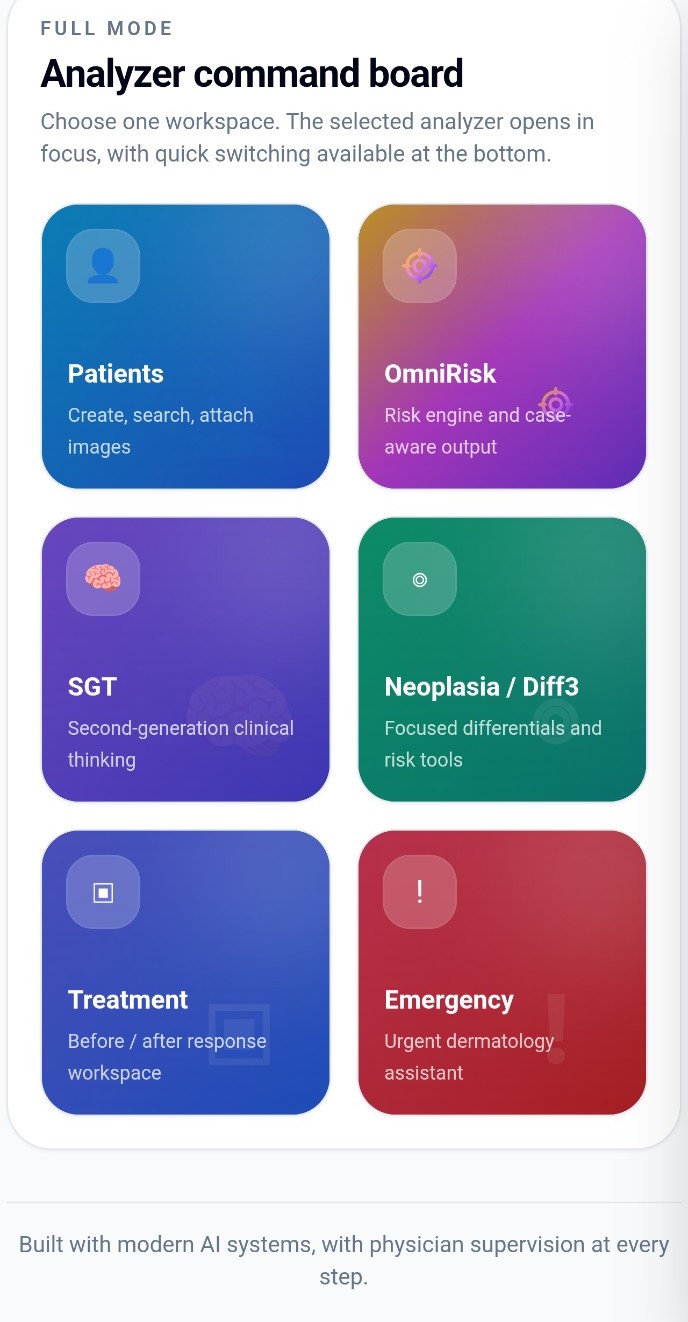
The full analyzer command board
Platform architecture
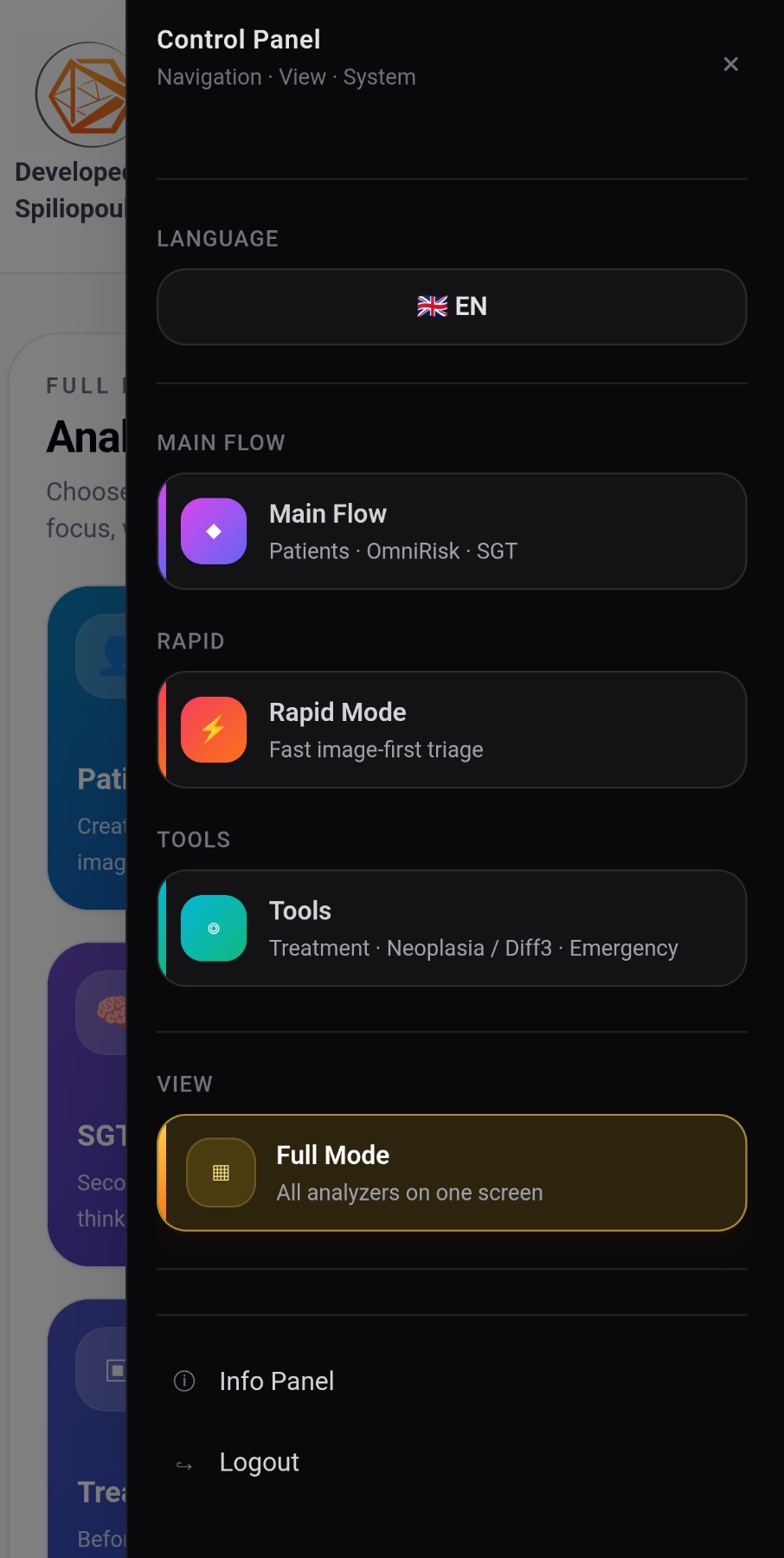
OmniDerma separates workflows by clinical intent: full patient management, fast triage, focused tools, and command-board navigation.
The control panel gives fast access to Main Flow, Rapid Mode, Tools, and Full Mode. The goal is not to hide complexity, but to organize it around how clinicians actually move through decisions.
Full Mode works like a command board: each analyzer opens in focus, while quick switching remains available at the bottom of the interface.

Navigation · View · System
Patients, OmniRisk, and SGT for structured clinical work.
A fast, image-first workspace for quick triage orientation.
Focused analyzers for treatment response, differentials, and emergency orientation.
Patient workspace
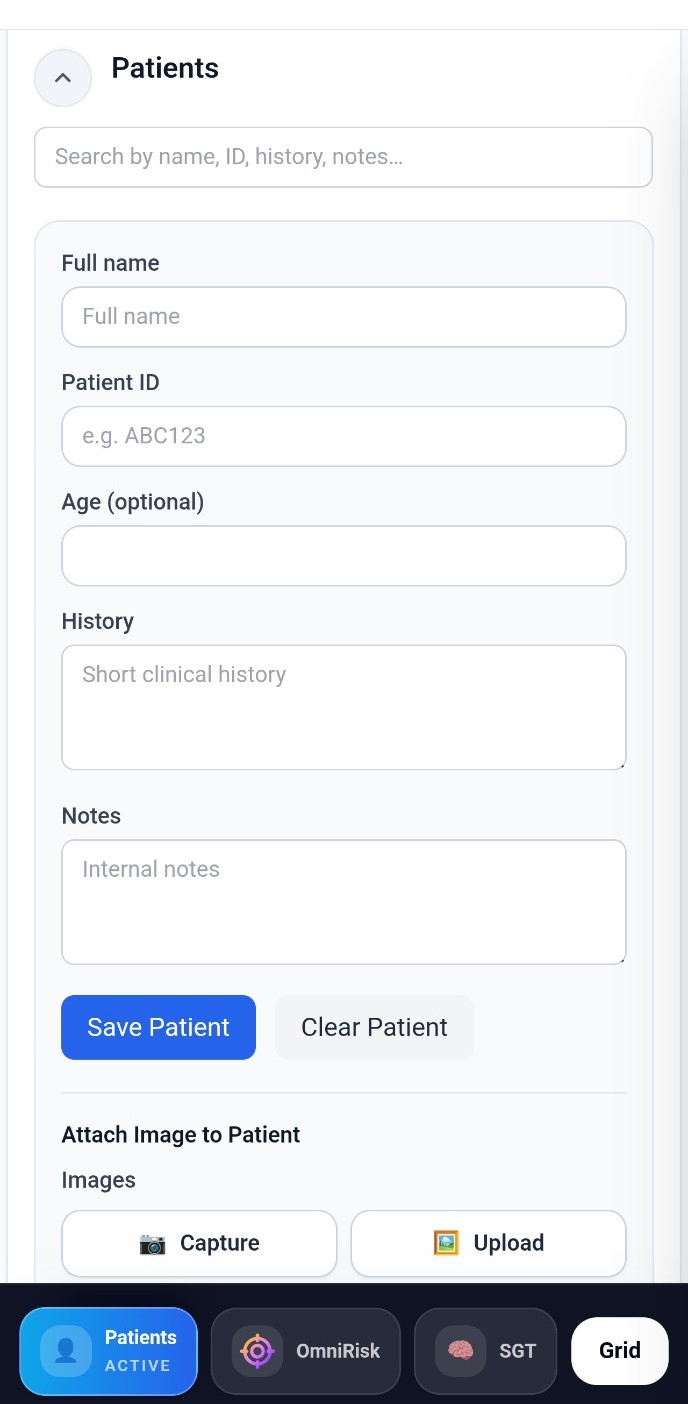
Patient records let clinicians store history, notes, attached images, and generated PDFs in one searchable workspace.
The patient workspace supports camera capture, upload, image attachment, history fields, internal notes, and PDF generation.
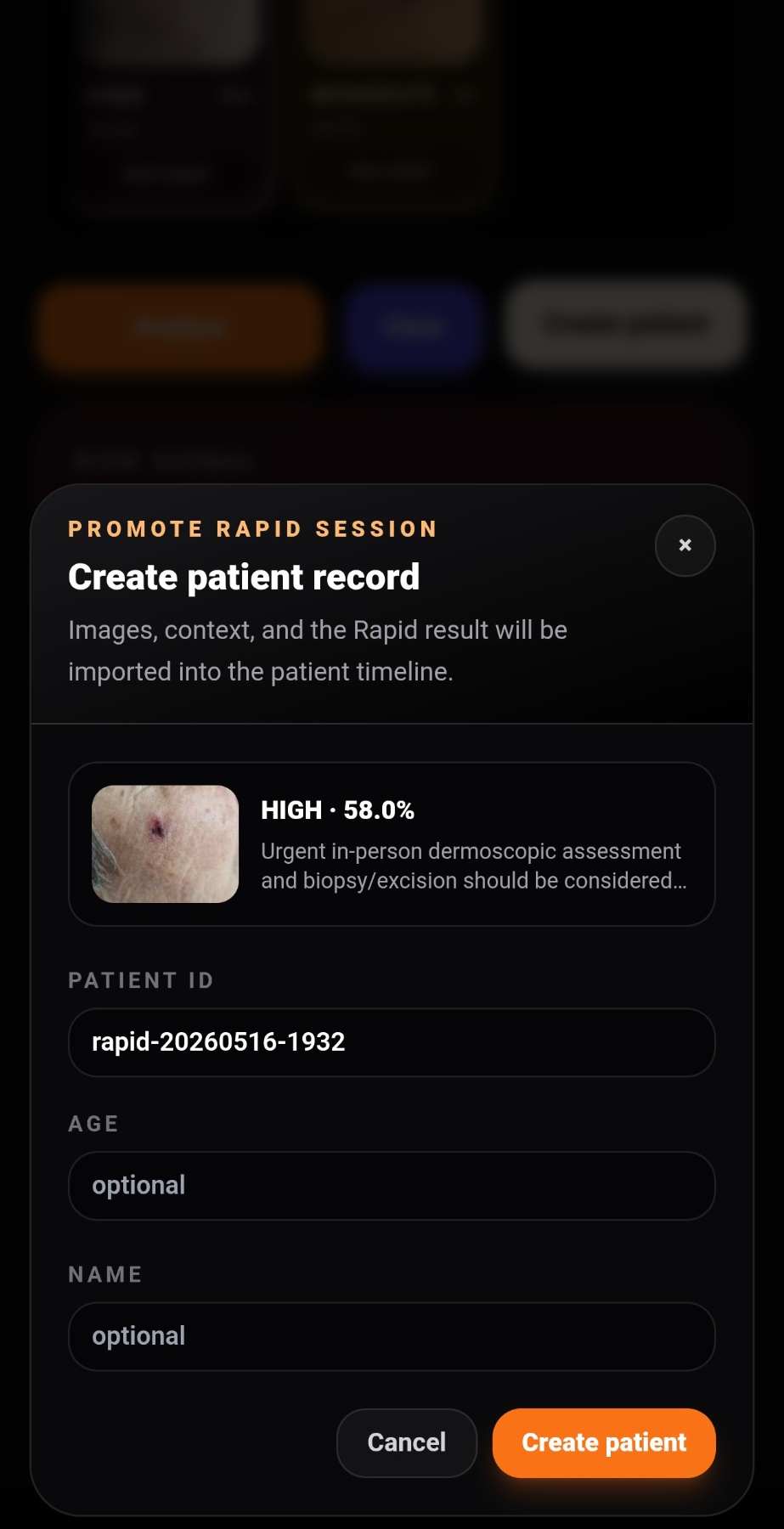
Rapid sessions can also be promoted into patient records, so fast triage can become part of the longitudinal timeline.

Patient creation and image attachment
Rapid Mode
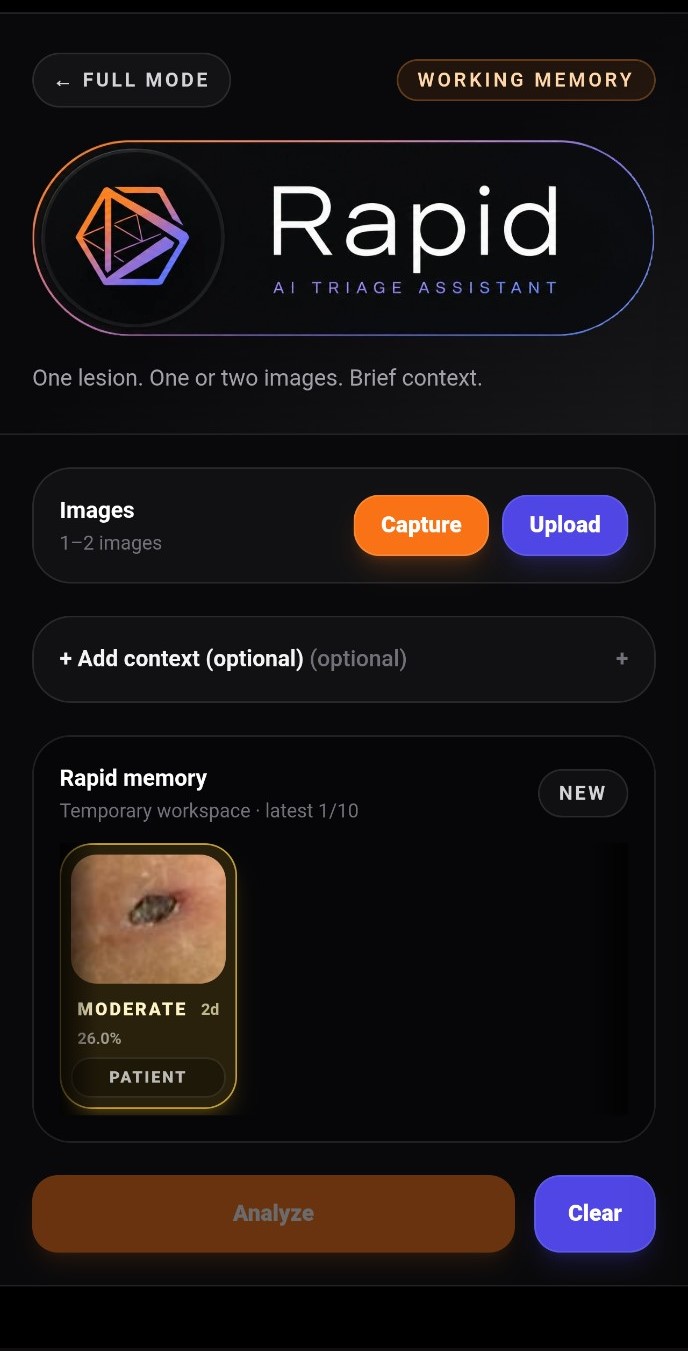
Rapid Mode is designed for one lesion, one or two images, and brief context. It prioritizes speed, readability, and escalation-oriented action.
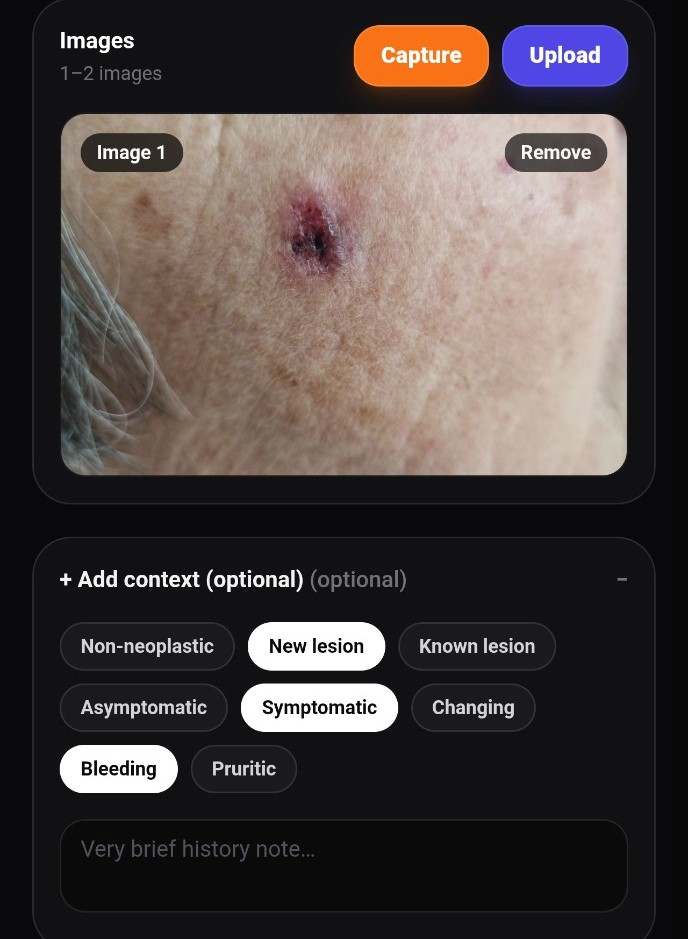
Capture or upload images, then optionally add structured context such as new lesion, symptomatic, bleeding, pruritic, or changing.
The system keeps recent runs in a temporary Rapid memory, allowing quick review before creating a full patient record.

Image-first triage workspace
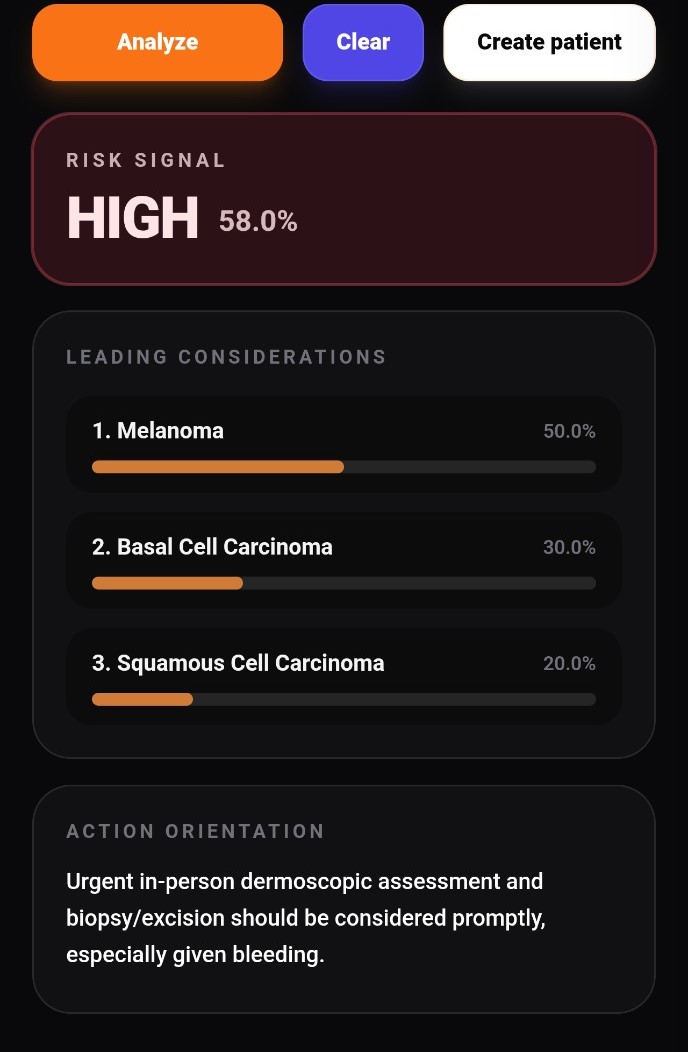
Rapid output separates the risk signal, leading considerations, and action orientation so the result can be read quickly under pressure.
When needed, the result can be promoted into the patient timeline with images, context, and the generated triage summary.


Context flags → risk signal → action orientation
A Rapid session is not trapped as a disposable output. It can become a structured patient record when the clinician decides the case should continue.

Promote Rapid session
OmniRisk
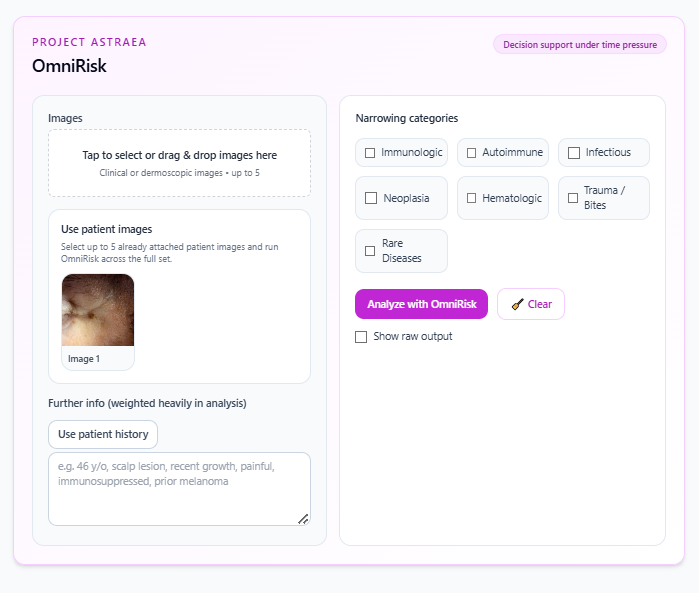
OmniRisk combines uploaded images, clinical context, selected diagnostic categories, and similar past cases to produce structured decision support.
The image is interpreted together with the note, patient history, lesion site, timing, symptoms, and other context. This keeps the output closer to clinical reasoning rather than image-only pattern matching.

Images · categories · patient history
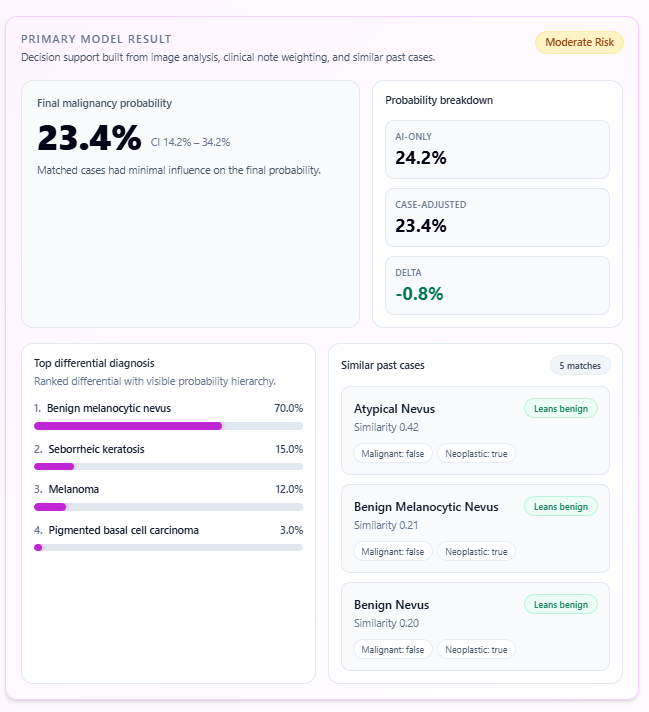
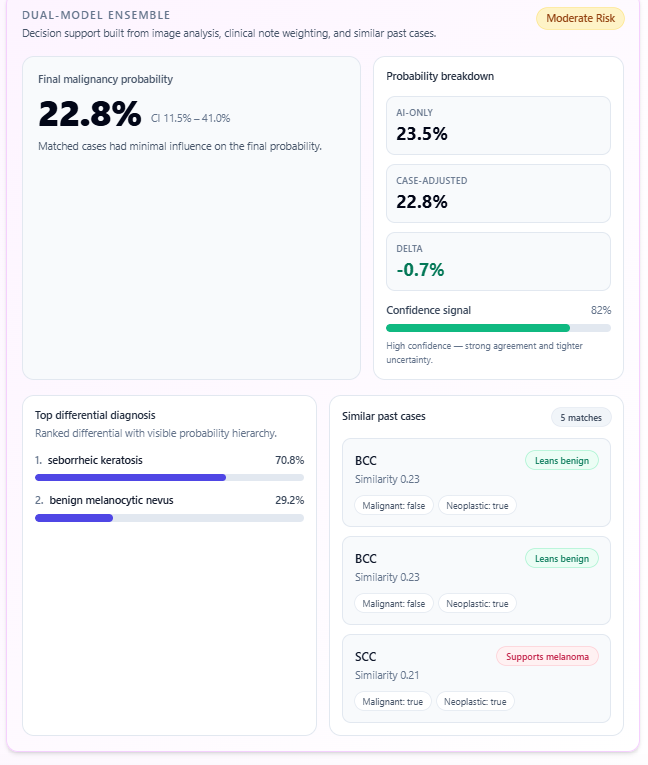
The result can show final probability, confidence interval, differential hierarchy, probability breakdown, and similar past cases. This makes the output inspectable rather than opaque.
Dual-model ensemble views help represent agreement and uncertainty when available.


Primary model and dual-model ensemble
The model’s image-and-context estimate before case adjustment.
A probability influenced by similar verified cases when available.
A practical indication of agreement and uncertainty, not a replacement for clinical judgment.
Learning loop
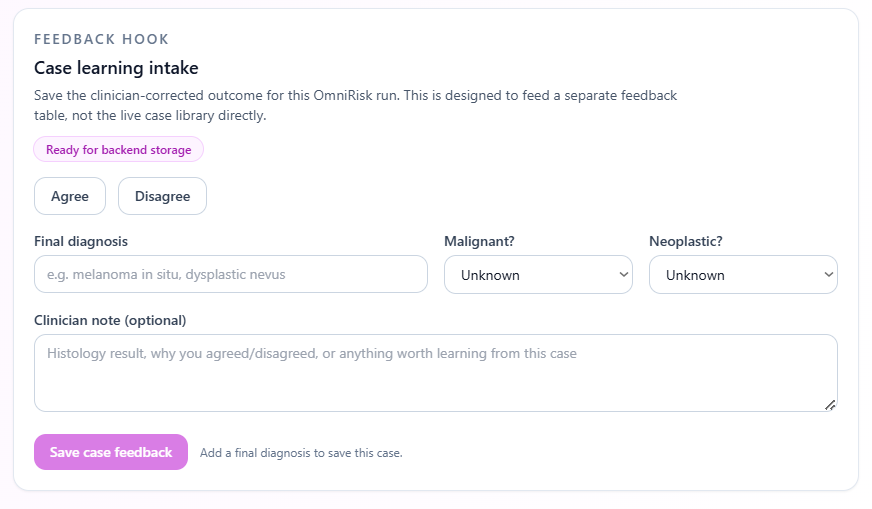
The feedback hook lets clinicians save corrected outcomes and final diagnoses for review before entering a trusted case library.
Clinician agreement, disagreement, final diagnosis, malignant/neoplastic labels, and notes can be captured after a run.
This supports a curated case-intelligence pipeline while keeping physician supervision at the center.

Case learning intake
Focused tools
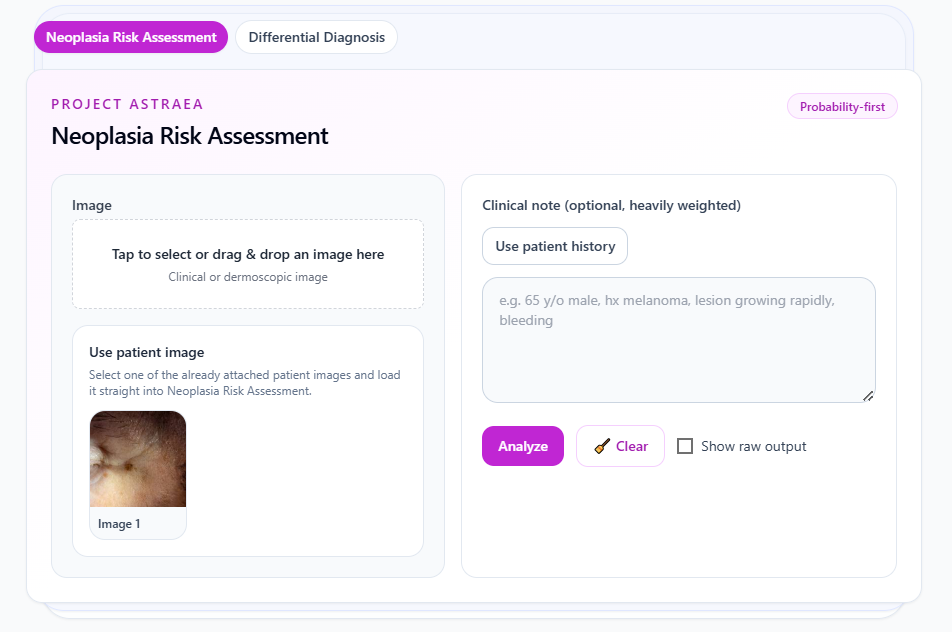
Not every task is melanoma risk estimation. OmniDerma separates broader differential support, treatment response, reasoning, and emergency orientation into focused workspaces.
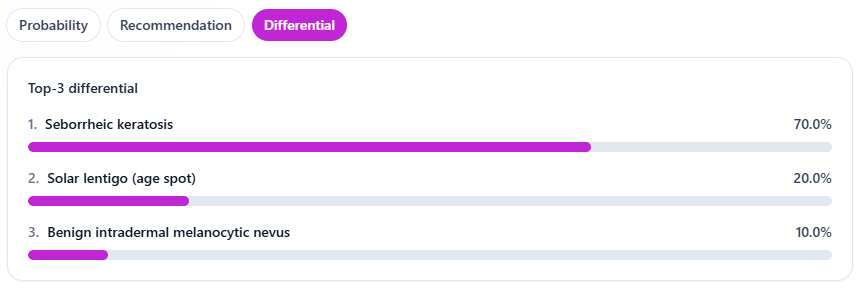
The focused risk and differential tools provide probability, recommendations, and ranked diagnostic considerations while keeping physician review central.


Probability · recommendation · differential
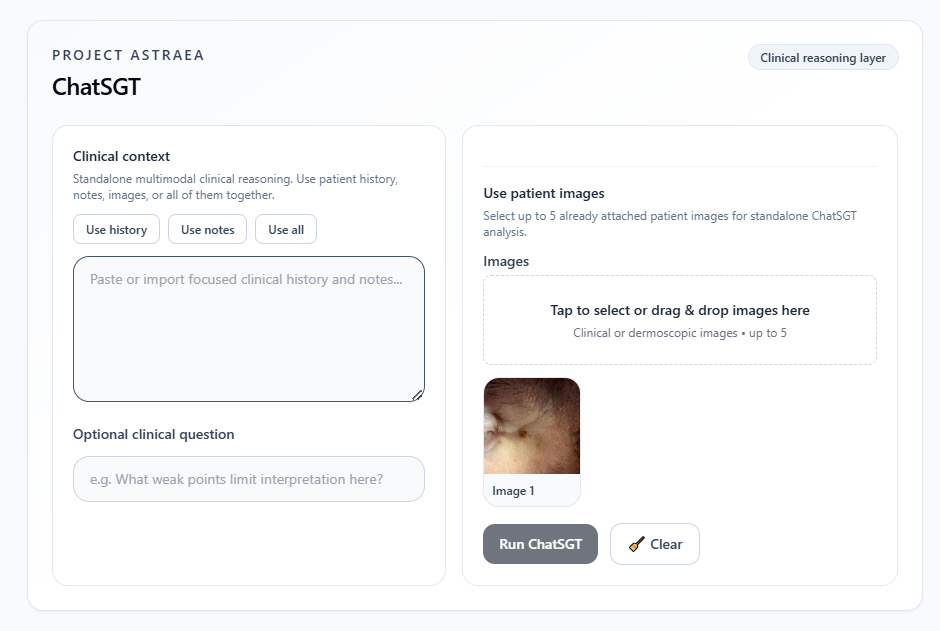
ChatSGT is a clinical reasoning layer. It is designed to interpret context, question assumptions, identify weak points, and make uncertainty more visible.

Clinical reasoning layer
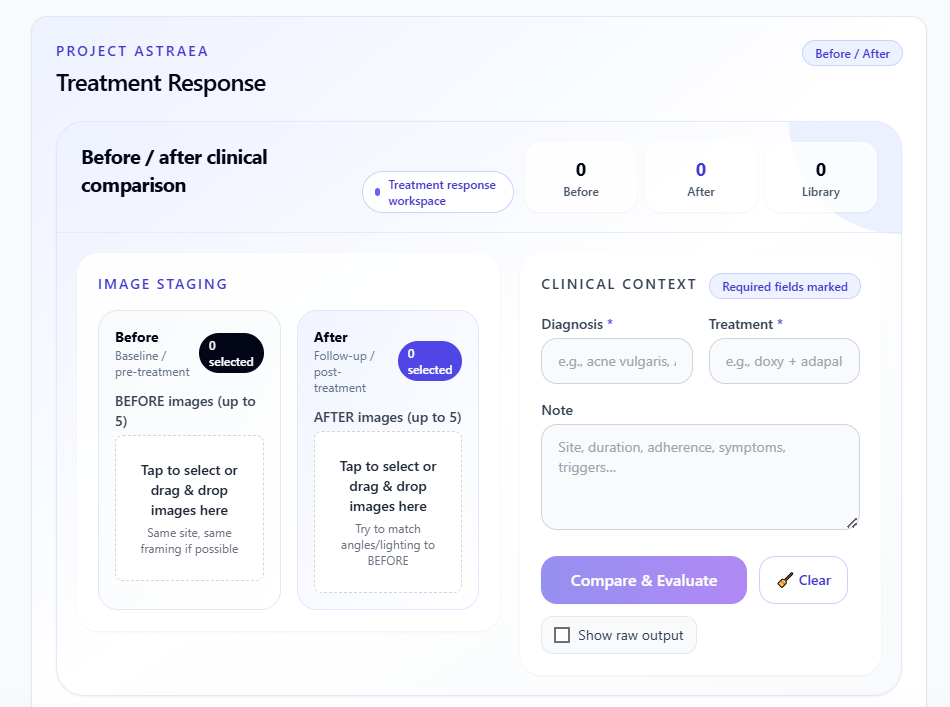
The treatment workspace is built for before-and-after comparison, response review, and longitudinal assessment of therapeutic change.

Before / after clinical comparison
Safety and escalation
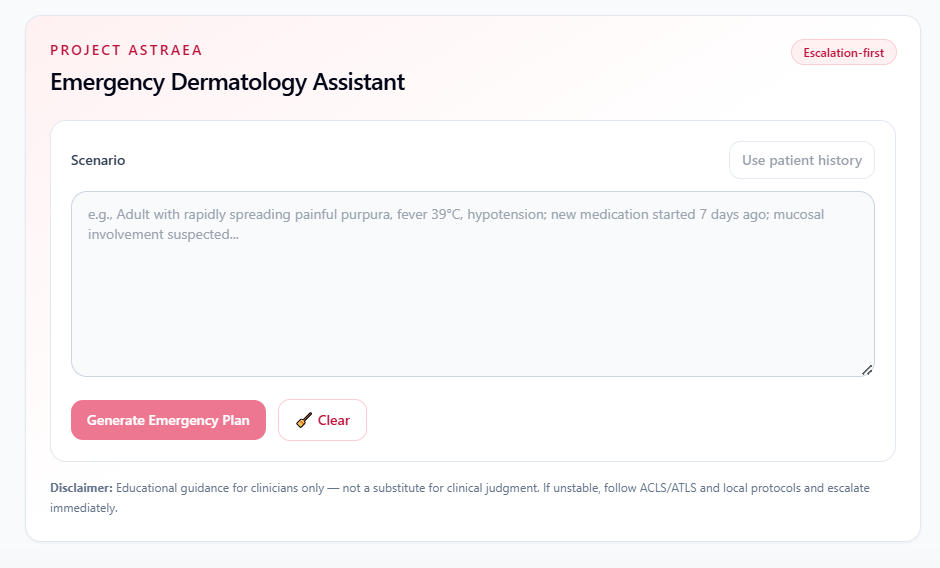
The Emergency Dermatology Assistant is designed for structured orientation, not standalone emergency diagnosis. Unstable patients and red-flag presentations require immediate protocol-based escalation.
Emergency output is educational and supportive. It should be interpreted by clinicians and checked against current protocols, local resources, and patient stability.
The same philosophy applies across OmniDerma: outputs support decision-making; they do not replace qualified medical judgment.

Escalation-first assistant
Medical disclaimer
OmniDerma is a physician-led, AI-assisted clinical support platform intended for educational and workflow-support use. It does not provide standalone medical diagnosis. Clinical decisions must always be made by qualified medical professionals using current guidelines, direct patient assessment, and appropriate investigations. Histopathology remains the gold standard for skin neoplasms where indicated.